
Oracle Integration Cloud Gen2, launched in 2019, has established itself as a reliable and sophisticated integration solution for Oracle customers. Following this, Oracle Integration 3 was introduced in 2022, featuring a fully cloud-native architecture that enhances performance, scalability, and user experience. It is specifically engineered to manage more intricate workflows and accommodate elevated integration volumes.
My previous post (It’s time to move to Oracle Integration 3!) detailed Oracle announcements regarding deprecation of OIC Gen2. In this post, we will look at the steps to take in order to upgrade your Oracle Integration Cloud Gen2 to Oracle Integration 3.
Note – these are many pre and post requisite steps that you should follow aligned to the way in which you use your instance of OIC Gen2. for more information on these considerations see the oracle documentation here.
For illustrative purposes in this post I am using an instance of OIC gen2 that has no consequences!
How to Upgrade
Step 1: Log in to your Oracle Cloud console

Step 2: Click on the menu icon (often referred to as “Hamburger” or “Pancake Stack” icon)
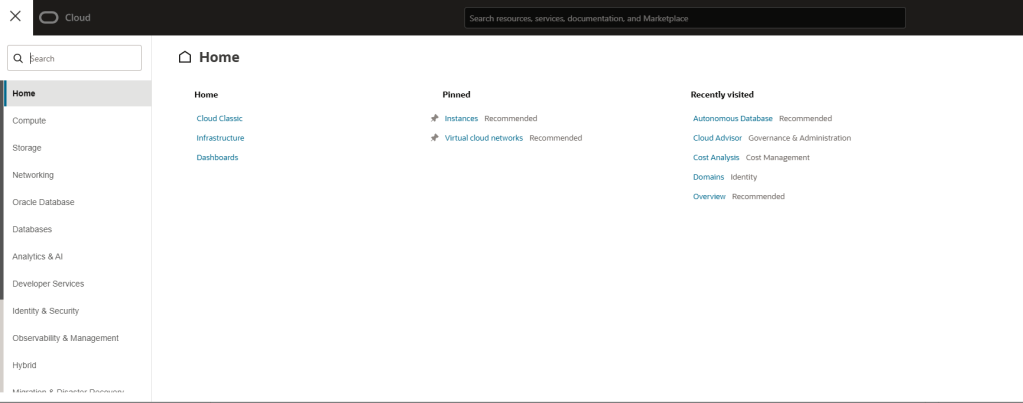
Step 3: Select “Developer Services” and then select “Integration”. You can also use the “pin” feature for easier access at a later date

Step 4: If you wish to change the compartment in which you are accessing Oracle Integration instances, you can do so here. Here you can see that I already have 4 instances already provisioned (2x Oracle Integration Gen 2 & 1x Oracle Integration 3). If you have not yet set up a compartment, see my post: Creating a Compartment in Oracle Cloud.

Step 5: Click the “3 dots” icon next to your instance, and select “open console”
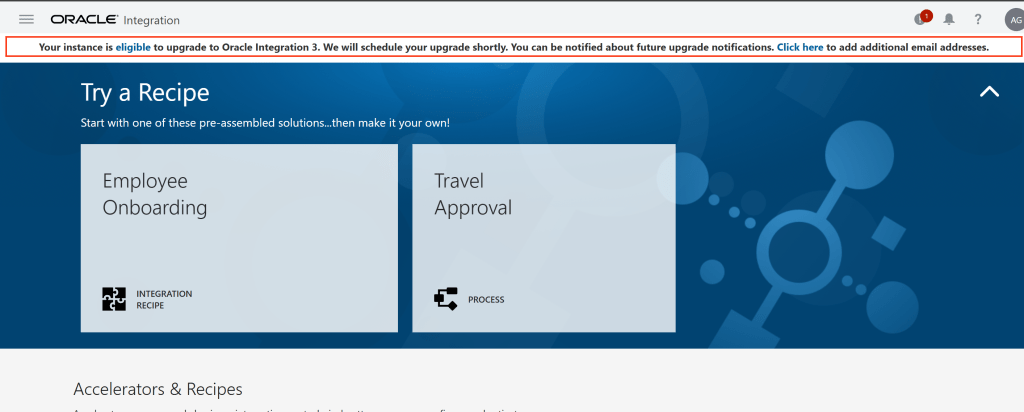
Step 6: Click on the menu icon (often referred to as “Hamburger” or “Pancake Stack” icon) and then click “settings”

Step 7: Select “Upgrade”
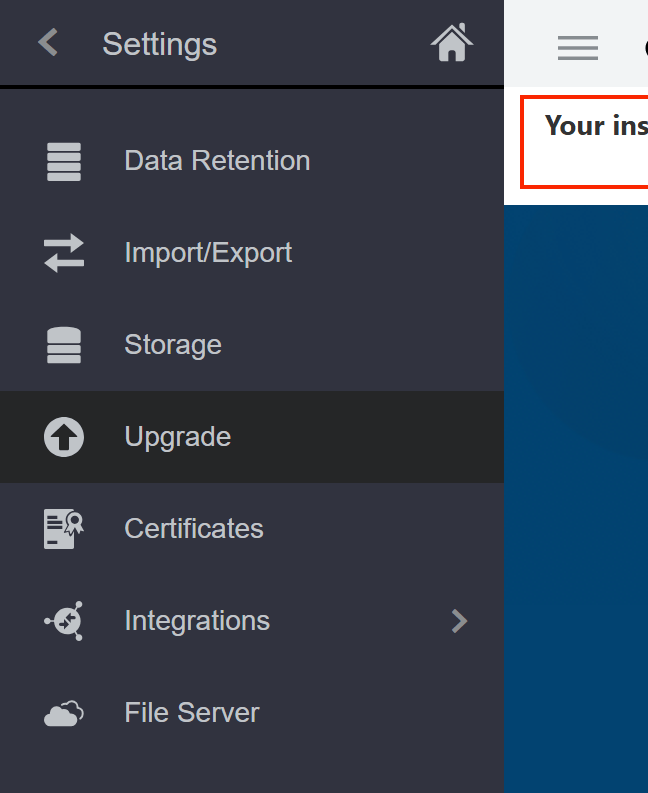
Step 8: Select a time window to schedule your Oracle Integration upgrade.

Considerations
- The above process is simple and carried no risk since it is a demo environment, which allows for easy testing and evaluation of features without any potential negative impact on production systems or users.
- You’ll need to be more careful if your OIC instance supports live operations of your or your business, as even minor errors or oversights can lead to significant disruptions.
- As an example, you may wish to provision an Oracle Integration 3 environment in parallel to your existing running of Oracle Integration Cloud Gen2 instance, allowing for a smooth transition as you gradually migrate to Oracle Integration 3. This method not only helps in minimizing downtime but also ensures that you have access to the new features and capabilities of Oracle Integration 3 as you adapt your processes. Alternatively, you could import all of your integrations into a Gen3 test instance, allowing you to run comprehensive regression tests on all of your workflows. This testing phase is crucial as it provides you with the necessary confidence that all is functioning as expected before making the significant decision to switch off your Generation 2 instance. Implementing such a strategy can greatly reduce the risks associated with migration.
- Be aware though, there are lots of features available in Oracle integration 3 that are not available in Oracle Integration Cloud Gen2, and you may wish to take this opportunity to capitalize on these new features and functionality. It’s essential to thoroughly evaluate the benefits these features provide, as well as how they align with your specific needs and objectives. Consideration is needed on how you should do this in your own environment based on many factors, such as existing infrastructure, the potential impact on workflows, and integration with other systems.
 AMY SIMPSON-GRANGE - BLOG
Pingback: Exploring Oracle Integration Cloud: March 2025 - Implementing Oracle Integration Cloud